Installing the CUX snippet is quick, easy and can be completed in just a few minutes, enabling you to view the first recordings of your website's user behaviour as soon as it's done. The snippet is essential for linking your website to CUX, ensuring that the database is always current and contains all the relevant visitor data, clicks, and visits.
You can access the CUX snippet in two ways: during the creation of a new project or from an existing one.
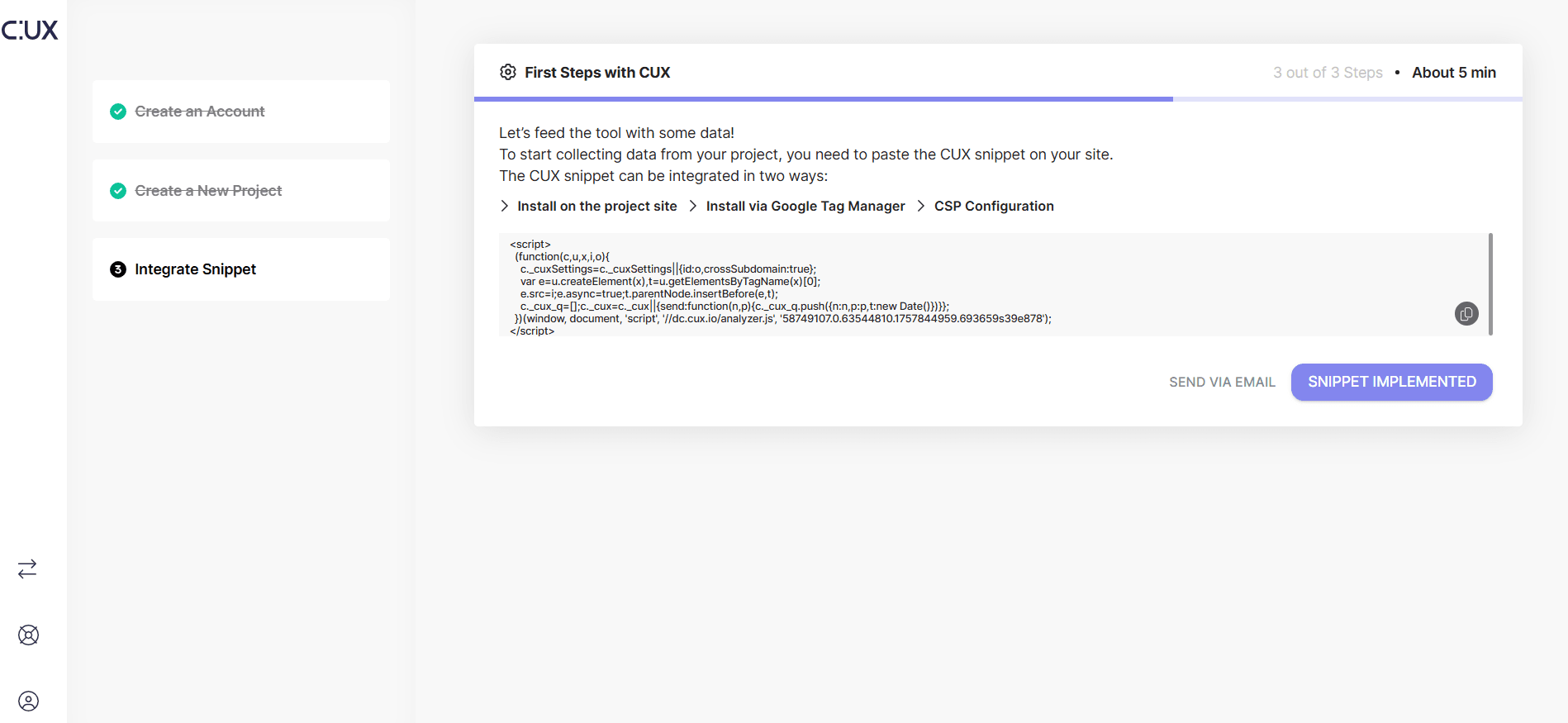
- At the end of a process of creating a new project you will see a snippet and instructions for its installation. Use a copy button to copy the entire snippet to your clipboard.
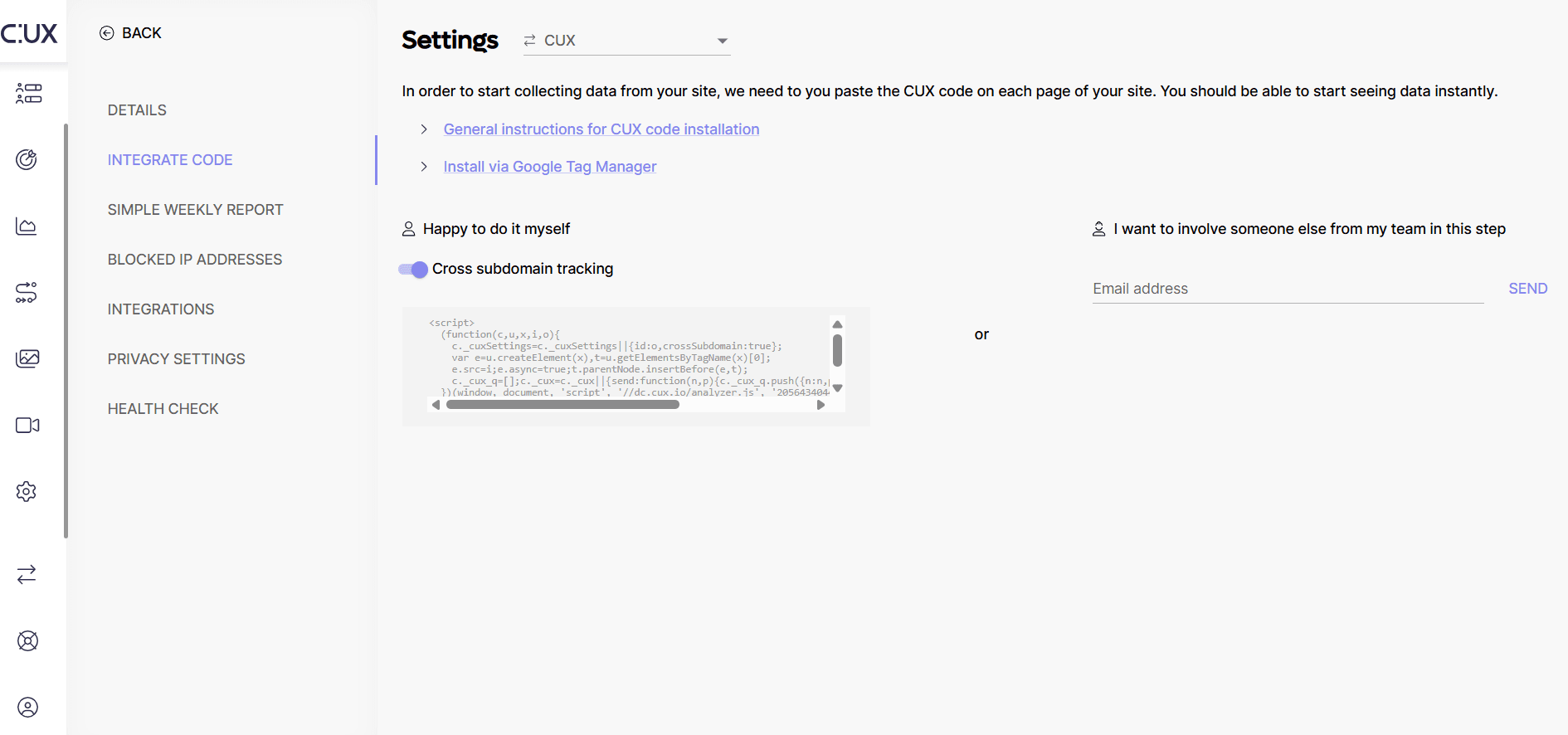
- If you already have a project created, access the CUX platform and go to the project for which you want to install the snippet. Open project Settings and select the 'Integrate code' tab in the Settings menu. Locate the box containing the unique CUX snippet for the project. Click the snippet box - this will copy the entire snippet to your clipboard.