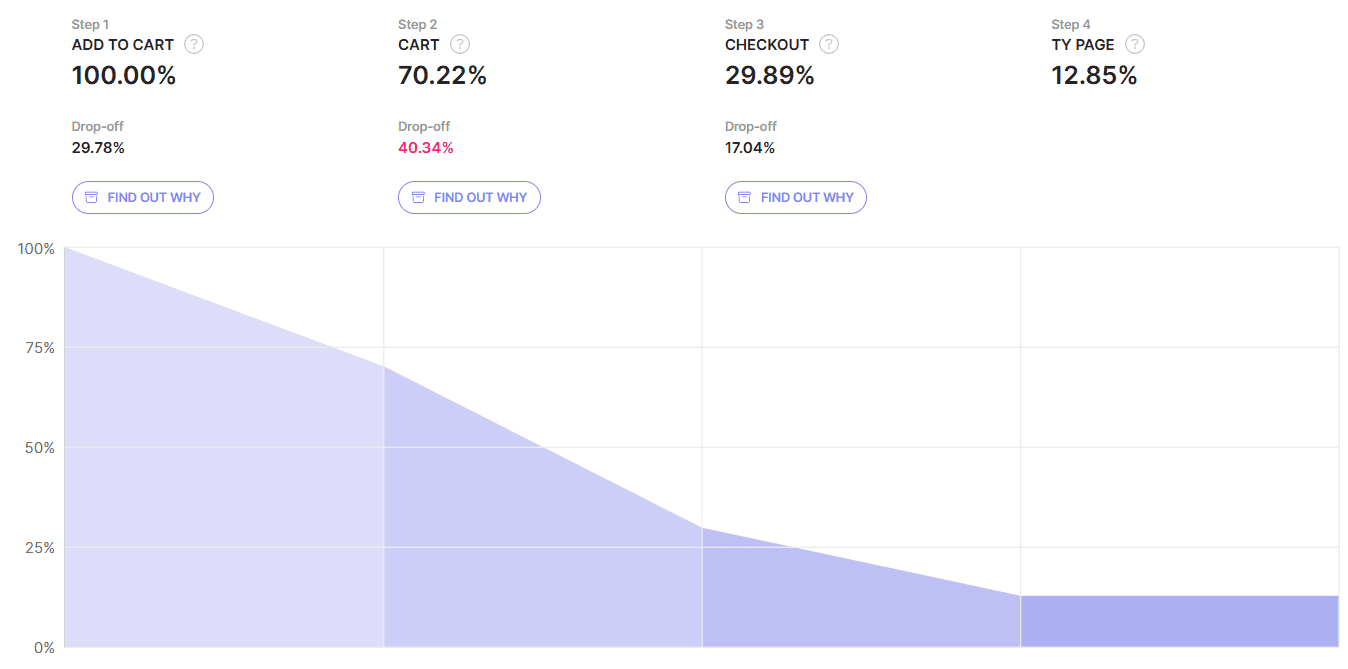
The Waterfall’s primary purpose is to help you track and analyze various customer journeys. It is a graphical and numerical representation of the sequence of steps that visitors perform on your site, displayed as a line chart funnel. The Waterfall filters all your collected visits based on your step configuration and reveals how many users reached a specific step, identifies steps in the customer journey that might have flaws and cause drop-offs, and shows how many users reach the final, desired destination.
 On the Waterfalls page, you will find the list of all the Waterfalls you’ve set. Each Waterfall is presented in a table row and includes information about the Waterfall: its Name, Description, and the number of steps it consists of. To view a specific Waterfall, click the 'SHOW' button in the corresponding row.
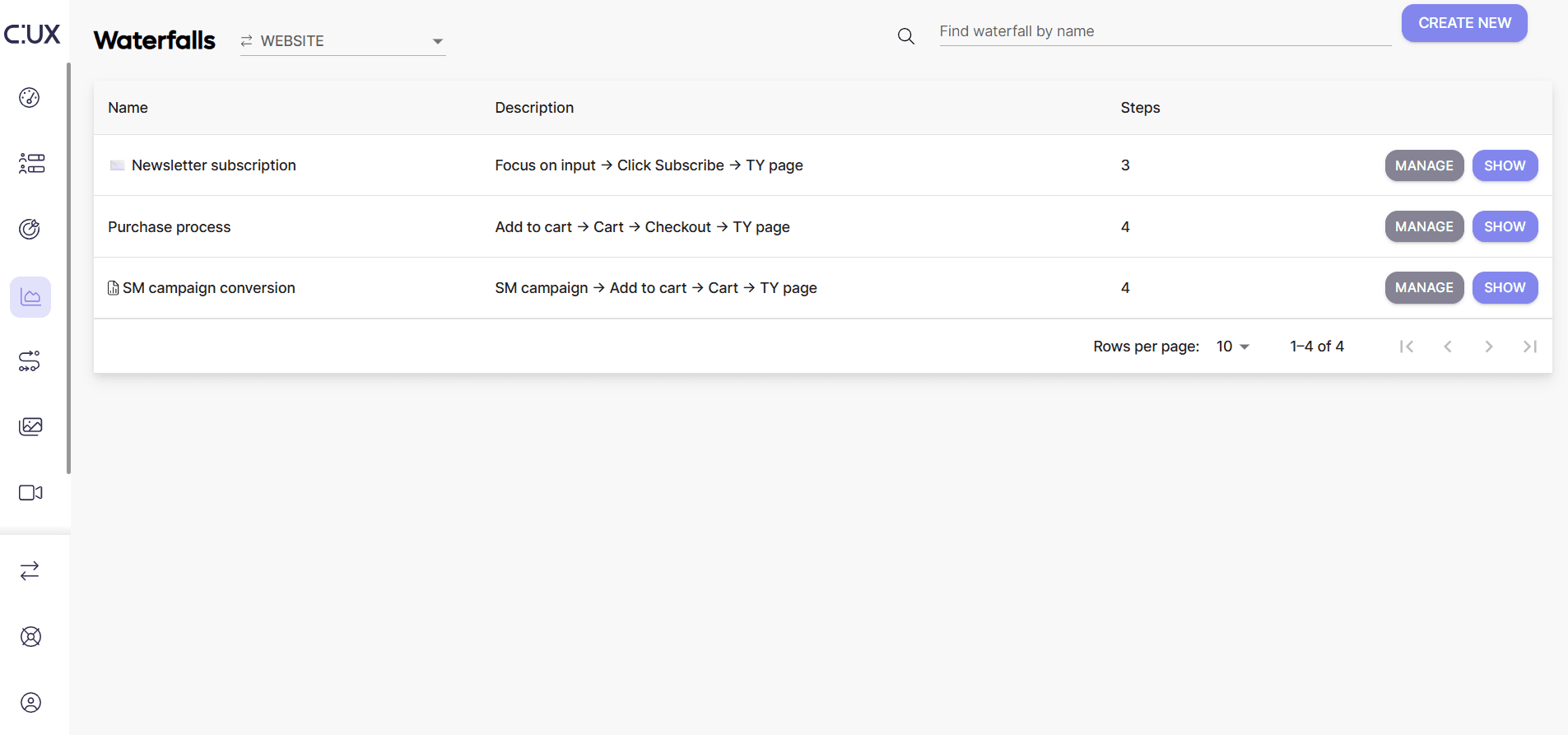 To create a new Waterfall, click the 'CREATE NEW' button located in the top right corner of the Waterfalls page. For more details about setting a goal see our dedicated article How to set up Goal or Waterfall.
Waterfalls can help you visualize form submissions, account registration, check-out process, and more. You have the flexibility to decide what you want to track, and there’s no limit to the
number of Waterfalls you can set or the number of steps in one Waterfall. However, keep in mind that Waterfalls are based on visits. It means that if the user ends their visit at step 2 (for example /cart pageload) and continues the journey on their next visit, the Waterfall will consider it as a drop-off at step 2. That’s why it is not always good to build extra-long Waterfalls. Often it’s even better to have several smaller ones to break down complex processes into digestible chunks. This is especially true if your product allows users to return to specific points in a journey rather than starting from the very beginning with each visit.
Example Imagine you’ve set up a Waterfall to track a purchase process with the following steps: Main page -> Category page -> Product page -> 'Add to cart' button click -> Cart visit -> Checkout visit -> 'Order and pay' button click -> Purchase success page. You may think that this detailed Waterfall will help you identify almost every potential pain point on a users’ path to making a purchase. However, in reality, it will only capture a segment of converting users and will filter out other flows when users:
- Skipped the main page and category page because they came from search results or an advertising campaign and landed on a product page;
- Never visited a product page because they added all products to the cart directly from the category page level;
- Started a visit from returning to an abandoned cart and proceeded to checkout.
That’s why we recommend starting from short Waterfalls that contain only the essential steps that every user in every visit must perform, such as visiting checkout, clicking an 'Order and pay' button, and landing on a purchase success page. Then, gradually extend it by adding more steps in different combinations. This approach will help you to understand the most common paths and the impact of preceding steps on the conversion.