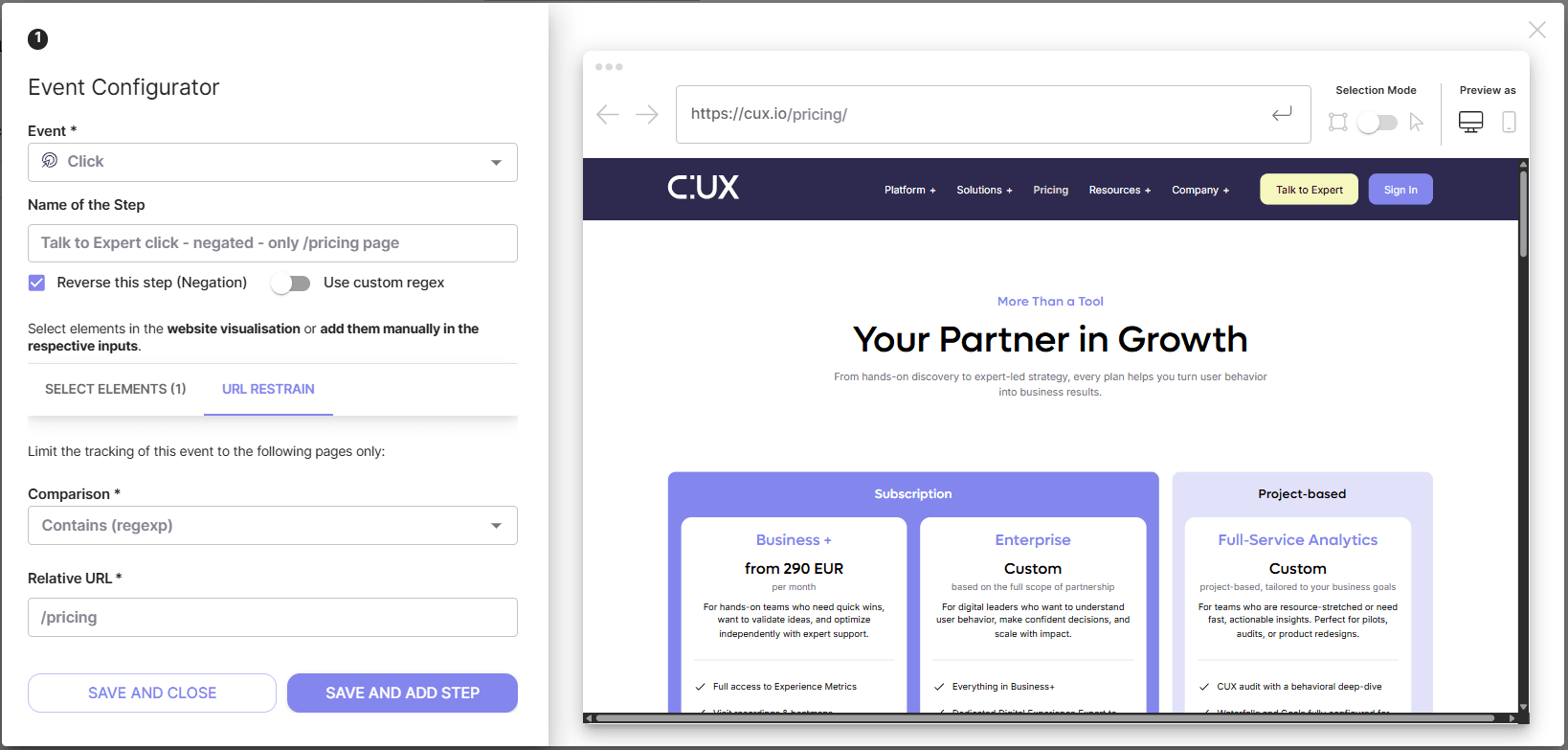
Some elements within the website may share the same XPath, class or ID. These could include items in the website menu, elements in the footer, 'Add to cart' buttons on product pages, newsletter forms at the bottom of articles, and various others. If you wish to limit the tracking of users' actions to a specific page or group of pages, you can use the URL restrain feature. This feature is available in both Click and Form events.
To add a URL restrain to your Click or Form event:
- Click the “URL Restrain” tab in an event editor;
- Choose a Comparison type:
- Contains (regexp)
- Starts with
- Ends with
- Matches
- Type or insert the relative URL or its part.
Don’t forget to specify the element’s XPath in the “Select Element” tab, as it is a required field for Click or Form events.