To edit a Goal:
- Open the Goal tab.
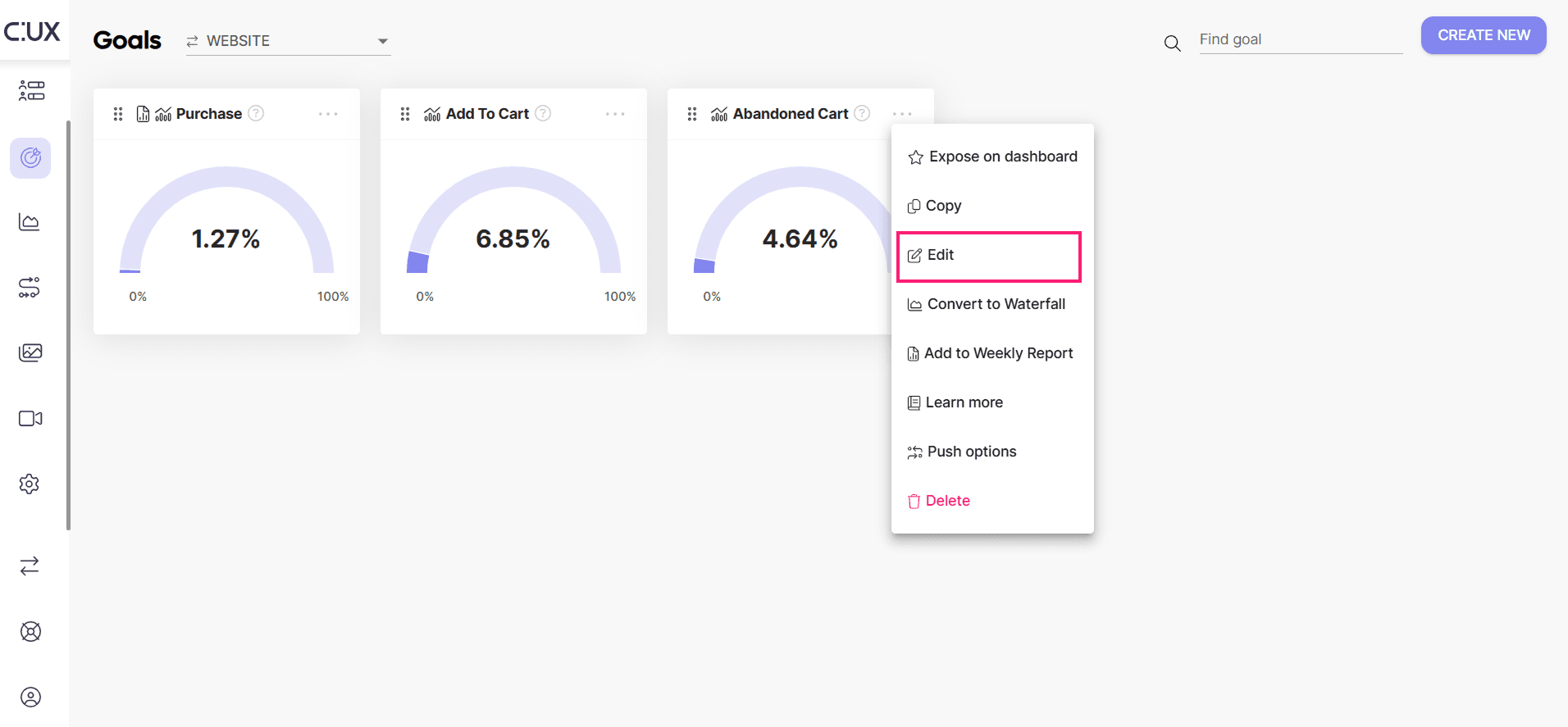
- Click on the 3 dots in the upper right corner of the Goal tile you want to edit and select 'Edit'.
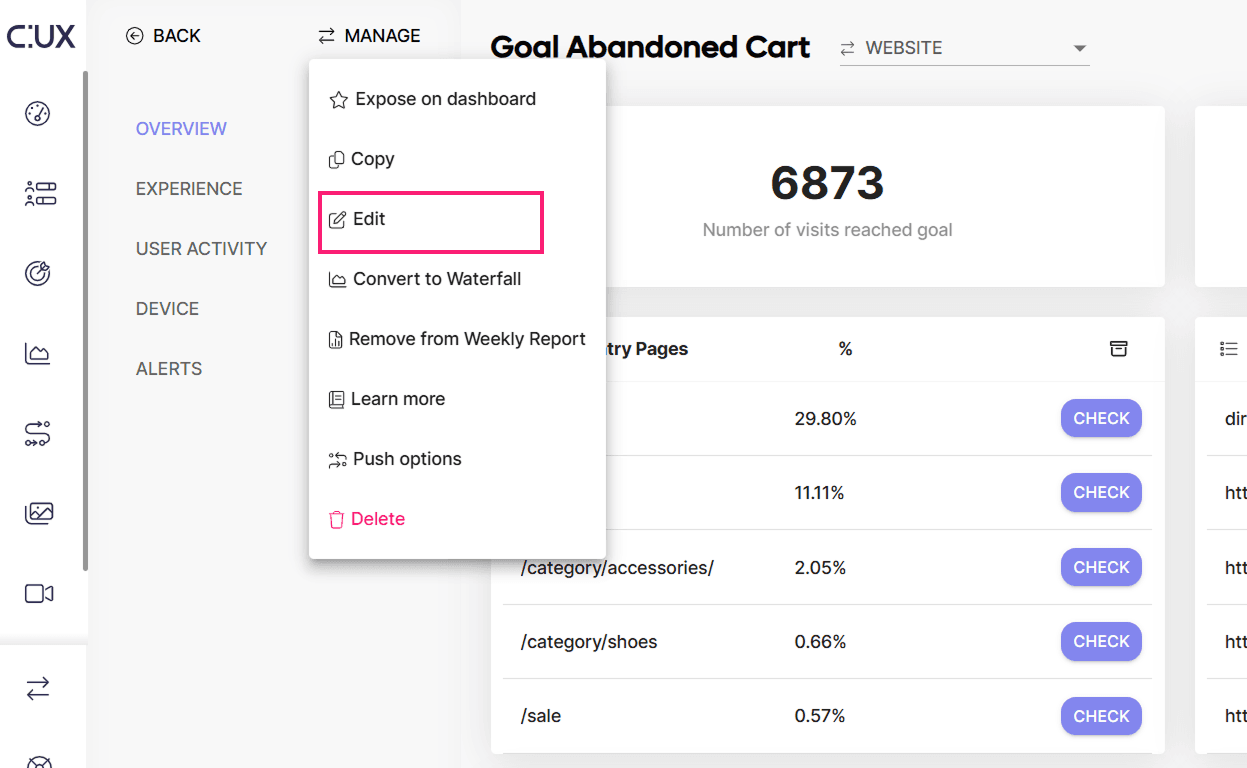
- Alternatively, open the main Goal view and select Manage>Edit.
- In the Goal editor you can:
- Edit existing event settings or remove events (if there are more than one)
- Add events
- Reorder events by dragging the tiles
- Modify the Goals name and/or description
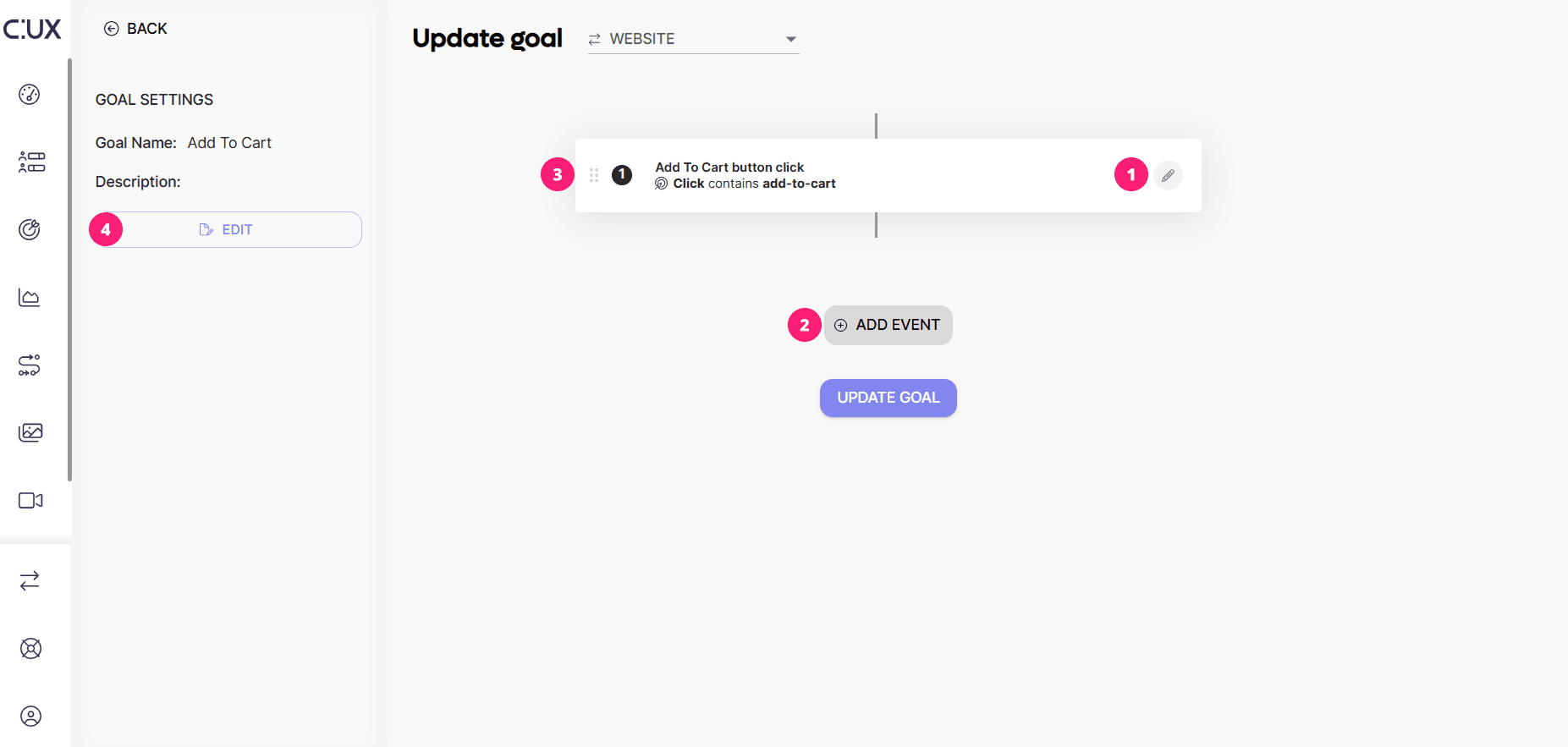
- To save changes, click on the “Update Goal” button.
NOTE: Each Goal in CUX can consist of any number of events.