To install CUX snippet manually:
- Log in to your website's configuration panel and find the area where you can modify the website templates.
- Choose the location in your websites template where you want to install the snippet. We recommend placing it before the closing BODY tag, but it can be installed anywhere on the page. To get the best results from CUX, we strongly advise against installing the code on a single or selected pages, as you will miss out on valuable insights and the ability to observe the entire user journey. It's always best to install the CUX code for the entire site.
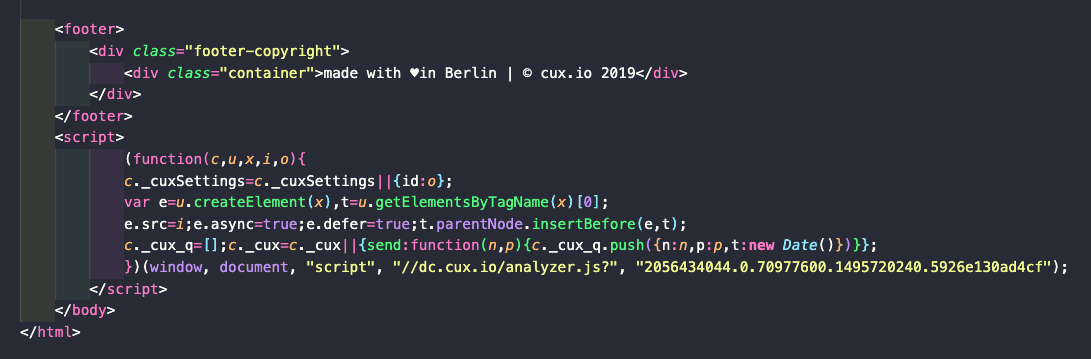
- Paste the snippet that you copied from the CUX platform into the HTML template. Here you have an example of how we did it on our website:
- Save the changes to your website and publish them if required.
- Verify if the code works.
To check if the snippet is functioning, open and close a few pages of your website in a browser, then go to your CUX project. If everything was set up correctly, the last step of creating a project will disappear, and you will see numbers appearing on the dashboard and visits showing up in the Visits tab as soon as the code starts sending data to our database. Please note that this process can take some time depending on project traffic, but usually no longer than 10-15 minutes.