Comparison types (Contains, Starts/Ends with, Matches) define how CUX checks if a page URL fits your rule — either by partial text, by beginning or ending, or by an exact match.
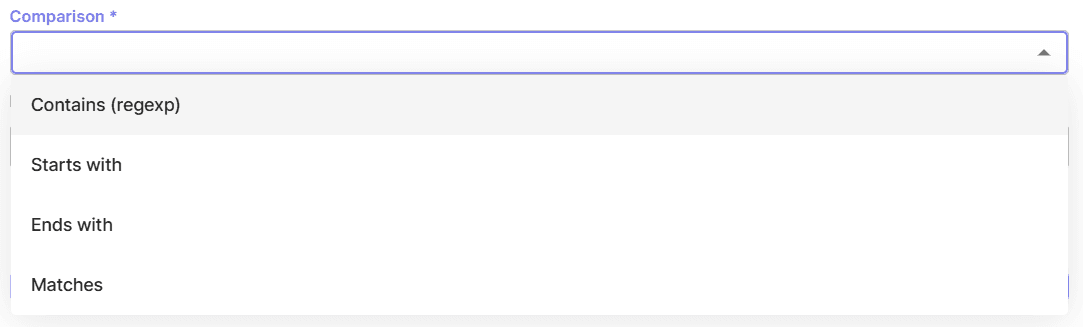
Contains (regexp) – one of the most versatile comparison types when it comes to what you can track with it. Simply type in part of the URL you want to track page loads for. ** Example:** If you type “product”, we’ll track visits where the page load’s URL contains: ✅ “/product”, “/product-1”, “/shoe-product”, “/product-promo” etc.
This type of comparison also allows you to use a regular expression instead of a URL or its part. Regular expressions (regex) are a sequence of characters used to define a search structure for identifying specific patterns in text strings - like URLs. They are useful when you want to track page loads whose URLs can vary depending on the use case. For example, the page name gets different unique parameters appended to it, or you want to track a group of pages with a similar structure of URL Path but with different values in it - like product pages, blog articles, or user/company/employee profiles.
Example: You want to track page loads of blog articles and the relative URL for such pages looks like /blog/[article-name]/. If you set your event just to Page load + Contains (regexp) + blog - you will also track visits where users were on a page /blog/ but haven’t opened any article. In this case, using the regular expression will be a solution: /blog/(.)/ In it we switched the changing part of the URL to a wildcard (.) - the regular expression that says “here could be any value of any length”. Now CUX will filter to your Goal or Waterfall only those visits where users were on any article page.
Here are some regular expressions you may find useful:
(.*) - wildcard - replace any part of the relative URL which you’d like to switch to “any value”.
(a|b) - OR pipe. To track page loads where the url contains one of the possible values. For example, tracking only three category pages load of all possible: /category/(shoes|bags|wallets)
(^/$|^/?.*) - your website’s main page. You may see it in CUX as / - but to track it as a page load you will need to use a regular expression.
Please note: Because Contains(regexp) type of comparison also accepts regular expressions - remember to always add a backslash symbol ( \ ) before each special symbol in a relative URL that is not a number or a letter, or a regular expression itself - as shown in an example above. Using a backslash in a regular expression tells CUX to treat a special character as a normal one, not like a special regex metacharacter. Those characters are: / ; , ? : @ & = + $ - _ . ! ~ * ' ( ) #
Starts with – Type the beginning of the page address to see possible options. If you type “/product”, we’ll track visits with URL: ✅ “/product”, “/product-1”, “/product-promo” ❌ NOT “/shoe-product”
Ends with – Type in the ending part of the page address to see the possible options. If you type “product”, we’ll track visits with URL: ✅ “/product”, “/shoe-product” ❌ NOT “product-1”, “product-promo”
Matches – Type in the exact part of the page address you want to track. If you type “/product”, we’ll only track visits with URL: ✅ “/product” ❌ NOT “/product-1”, “/product-promo”, “/shoe-product”