On this page
Use IP exclusions to keep traffic from specific addresses, such as an office connection, out of a project's collection. This setting belongs to the project, not your personal account.
Add an exclusion
- Select the intended project.
- Open Project Settings > Excluded Traffic.
- Under Block IP Addresses, enter the addresses, one per line or separated by commas.
- Select Add IP Addresses and check that the addresses appear in the list.
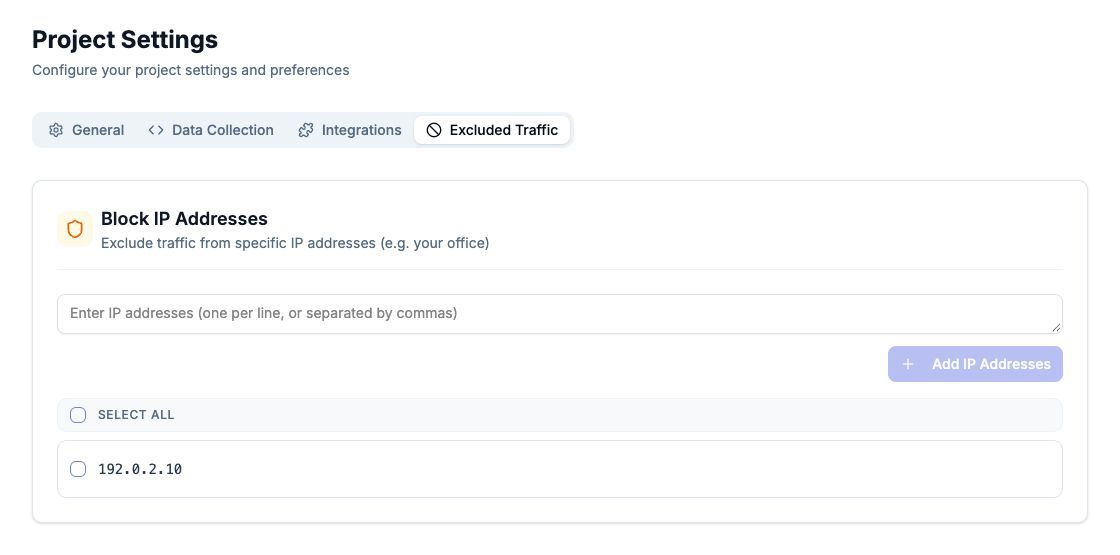
192.0.2.10 is an example address for documentation, not a customer address.
Use the address seen for the traffic you intend to exclude. Your device's local network address may differ from the public address used by an office, VPN or proxy. Ask the person responsible for your network if you are unsure.
Remove an exclusion
Select the relevant address or addresses, choose the removal action, and check the confirmation before applying it. Verify the list again afterwards.
Changing the exclusion list does not delete existing recorded visits. If you need data removed, treat that as a separate request.
Check the effect
Test from the intended network and confirm the address has not changed. Compare a new test journey with your project settings and date range. Do not block your only test connection while troubleshooting a new installation, because the missing visit may then be expected.