For Click and Form events you can also use a regular expression instead of just an XPath. Regular expressions (regex) are a sequence of characters used to define a search structure for identifying specific patterns in text strings - like XPaths. In CUX using regular expressions for XPaths could be most useful if you want to track interactions with a group of dynamic elements. For example, it could be “Add to cart” buttons on product categories with an infinite load or long forms with lots of conditional fields.
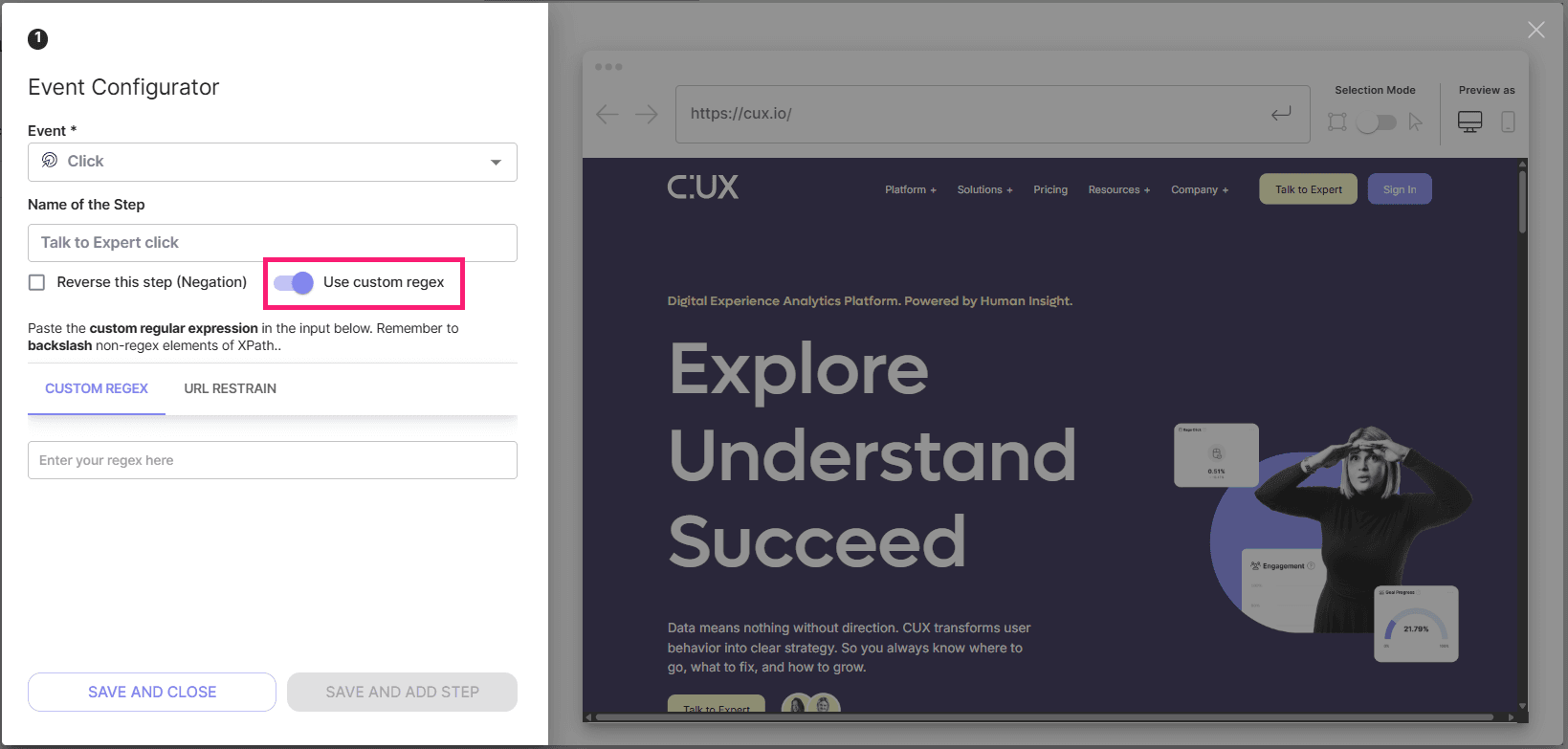
To use a Custom regex in your Click or Form event:
- Choose the event;
- Type the Name of the Step (optionally);
- Click the toggle “Use custom regex” in an event editor;
- Insert the regular expression;
- Save the event.
NOTE: "Custom regex is an alternative to using xPath. This means that you could use either of these targeting options separately, but not together. Switching from an XPath selection to a Custom regex will clear any previously selected XPaths. All other features, like Negation or URL restrain, can be used with both simple XPath and Custom regex.
Example: You want to track clicks on any “Add to cart” button on a product category page, but this button doesn’t have a dedicated ID and the category page has an infinite load which means that there could be hundreds of products on one page, and each “Add to cart” button has a slightly different XPath like:
- //*[@id="product-box"]/div[2]/div/div[1]/div/button
- //*[@id="product-box"]/div[2]/div/div[2]/div/button
- //*[@id="product-box"]/div[2]/div/div[5]/div/button
- //*[@id="product-box"]/div[2]/div/div[22]/div/button
- //*[@id="product-box"]/div[2]/div/div[108]/div/button
Adding hundreds of unique XPathes would be counterproductive, a much easier option would be to create a regular expression that would tell CUX what pattern in XPath we are looking for. In our example we just have to replace the changing part of the XPath to a wildcard (.*) - the regular expression that says “here could be any value of any length”. In this case our regular expression we will use in CUX will look like this:
- //*[@id="add-to-cart"]/div[2]/div/div[(.*)]/div/button
Important: remember to always add a backslash symbol ( \ ) before each special symbol in an XPath that is not a number or a letter, or a regular expression itself - as shown in an example above. Using a backslash in a regular expression tells CUX to treat a special character as a normal one, not like a special regex metacharacter. Those characters are: / ; , ? : @ & = + $ - _ . ! ~ * ' ( ) #